ChatGPT Review 2026 — The AI That Does Everything
ChatGPT review 2026: free vs Plus, GPT-4o features, real daily-use verdict, and who should pay $20/month. No hype — just what works.

Who is this for?
For anyone deciding whether ChatGPT is worth using, or whether the $20/month Plus plan is worth upgrading to. Skip this if you already use ChatGPT daily and know its limits.
The most popular AI tool in the world — but does it deserve the attention?

ChatGPT went from zero to 100 million users faster than any product in history. That said, popularity is not the same as being the best tool for every job. This review covers what ChatGPT actually does well, where it falls short, and whether the free tier is enough or if Plus is worth paying for.
What Is ChatGPT?
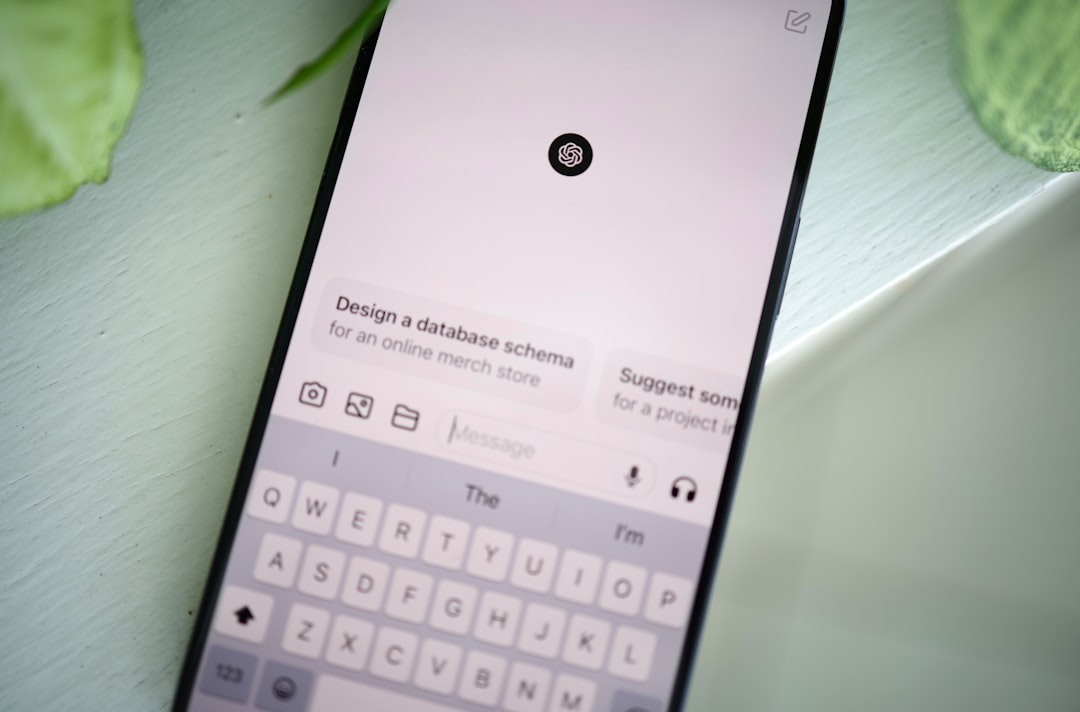
ChatGPT is an AI assistant made by OpenAI. You type a message, it responds. The free tier gives you access to GPT-4o, OpenAI’s most capable model, with daily usage limits. The Plus plan ($20/month) removes those limits and adds image generation via DALL-E, voice mode, and priority access when OpenAI’s servers are busy.
If you want a plain-English explanation of what ChatGPT is and how to start using it, read our beginner’s guide to ChatGPT.
Who Should Use ChatGPT?

- ✅ Write emails, documents, or social content regularly and want a first draft faster
- ✅ Need to research a topic quickly and want a direct answer rather than a list of links
- ✅ Get stuck staring at a blank page
- ❌ Need verified, cited, real-time web information (Perplexity AI handles this better)
- ❌ Primarily write long-form articles — Claude handles 10,000+ word contexts more consistently
What ChatGPT Can Do in 2026

Writing assistance
ChatGPT writes emails, cover letters, blog post drafts, social media captions, product descriptions, and meeting summaries. The output quality is good for most everyday writing tasks. It produces a usable first draft faster than you can write an outline yourself.
Where it differs from a specialist writing tool like Writesonic: ChatGPT requires you to know how to prompt it. There are no pre-built templates for specific content types. The upside is more flexibility. The downside is more friction for beginners.
Research and explanation
Ask ChatGPT to explain a complex topic — a contract clause, a medical term, a technical concept — and it produces a readable, structured explanation in seconds. This is one of its most genuinely useful capabilities. It collapses a 30-minute research task to 2 minutes.
Important caveat: ChatGPT has a knowledge cutoff date and cannot access the web on the free plan. Anything that changed in the last few months may be out of date. For real-time research, Perplexity AI is more reliable.
Image generation (Plus only)
ChatGPT Plus users can generate images with DALL-E. The quality is good for presentation mockups, social thumbnails, and concept visuals. It is not a replacement for Midjourney or Ideogram for serious creative work, but it is convenient if you are already in the ChatGPT interface.
Code assistance
ChatGPT writes, explains, and debugs code across most popular programming languages. For non-developers who need to automate a spreadsheet formula or write a simple script, it is particularly useful. The code output is usable about 80% of the time with minor adjustments.
Voice mode (Plus only)
The Advanced Voice Mode added in 2025 allows natural back-and-forth voice conversations. It responds with human-like tone variations and does not just read text aloud. Useful for practicing presentations, language learning, or thinking through a problem out loud.
ChatGPT Pricing in 2026

| Plan | Price | What you get |
|---|---|---|
| Free | $0 | GPT-4o with daily limits, web browsing, basic memory |
| Plus | $20/month | No limits, image generation, voice mode, priority access |
| Team | $25/user/month | Plus everything + admin controls, higher usage caps |
| Enterprise | Custom | Custom data retention, custom models, SSO |
The free tier is genuinely useful. For most beginners and moderate users, the free plan handles 80% of daily needs. The daily limits are high enough that occasional power users rarely hit them. The main reasons to upgrade to Plus: you need image generation, you use voice mode, or you are hitting free tier limits consistently.
Pros and Cons
- ✓ Best-known AI tool — huge community, tutorials, and resources
- ✓ Free tier is among the most generous of any AI assistant
- ✓ GPT-4o produces high-quality, natural-sounding text
- ✓ Flexible — works for writing, research, coding, analysis, and more
- ✓ Web browsing available even on the free plan (limited)
- ✓ Memory feature learns your preferences over time
- ✗ No specialist templates — you have to know how to prompt it
- ✗ Knowledge cutoff means information about recent events may be wrong
- ✗ Can hallucinate — confidently state incorrect facts
- ✗ Long-form writing (2,000+ words) sometimes drifts in quality
- ✗ Slower than some competitors when servers are busy (free tier)
- ✗ The free tier limits are opaque — hard to know exactly when you'll hit them
ChatGPT vs Claude vs Gemini

For most users, the comparison comes down to three tools. We’ve tested all three on identical tasks:
- ChatGPT wins for versatility and breadth. It handles the widest range of tasks competently.
- Claude wins for writing quality and long-form tasks. Its output sounds more natural and follows complex instructions more reliably.
- Gemini wins for Google Workspace integration. If your work is in Gmail and Docs, Gemini is the most convenient.
Read our full ChatGPT vs Claude vs Gemini comparison for detailed test results.
Our Verdict

ChatGPT is the best starting point for anyone new to AI tools. The free tier is genuinely useful, the interface is clean, and the community around it means tutorials and prompt guides are everywhere. For most everyday writing and research tasks, it delivers.
Where it earns a 4.6 rather than a higher score: the prompting learning curve is real for beginners, knowledge cutoffs cause issues for time-sensitive work, and Claude produces noticeably better writing quality for longer content.
Start with the free tier. Use it for a week on real tasks. If you are hitting limits daily or want image generation, the $20/month Plus plan is fair value.
Try ChatGPT free → — free tier available, no credit card required.
You might also like

Best Free AI Tools in 2026 — Full Comparison
Frequently Asked Questions
Q: Is ChatGPT free to use? A: Yes. The free tier gives access to GPT-4o with daily usage limits. There is no credit card required to sign up. ChatGPT Plus ($20/month) removes limits and adds image generation and advanced voice mode.
Q: Is ChatGPT better than Claude? A: It depends on the task. ChatGPT is more versatile across a wider range of uses. Claude produces higher-quality writing, especially for long-form content, and follows complex instructions more reliably. Most serious users end up testing both — both have free tiers.
Q: What is the knowledge cutoff for ChatGPT? A: GPT-4o has a training knowledge cutoff of early 2024, though OpenAI updates models periodically. The free tier includes limited web browsing that can access current information; the Plus plan has fuller web access.
Q: Can ChatGPT remember things between conversations? A: Yes — the Memory feature (rolled out in 2024) allows ChatGPT to store preferences and context across conversations. You can view and delete stored memories at any time in Settings.
Q: Does ChatGPT work on mobile? A: Yes. The official ChatGPT app is available for iOS and Android and includes the same features as the web version plus voice mode. It is free to download.
For teachers and educators

Best AI Tools for Teachers and Educators in 2026