Runway Review 2026 — May Update: New Features Tested at $15/Month
Runway May 2026 update: new features include 16-second clips and camera controls. Is it worth $15/month vs Pika, Sora, Kling?
Who is this for?
Solo creators, marketers, and small agencies making short cinematic clips who want to know if Runway is worth $15/month.
The most polished AI video generator on the market — and one of the few that genuinely produces commercial-grade output.
Our Top Pick · AI Video
From $15/month · Free tier: 125 credits/month, no card needed
TL;DR — If you read nothing else
Best for: Solo creators, marketers, and small agencies making short cinematic clips. People who want their AI video to look like a commercial, not a meme.
Watch out: Credits burn fast — the $15 plan is closer to 25 clips/month than the marketing implies. No audio generation yet. 16-second hard cap on clip length.
Bottom line: If you can spare $15/month and want one tool to do most of your video AI work, this is the one. Worth the price; not yet worth quitting your editor for.
Runway May 2026 update — new features explained
If you used Runway six months ago and bounced off it: try it again. The May update doubled credit allowances on all paid plans, added 16-second clip lengths (up from 10s), and a “camera control” panel that lets you specify pan/tilt/zoom independently of the prompt.
The biggest UX win: image-to-video now actually feels like a tool, not a roulette wheel. The new “motion brush” lets you paint exactly where motion should happen on a still image. Hair, water, fabric — the things AI used to mangle — finally behave.
Hands-on: making your first clip
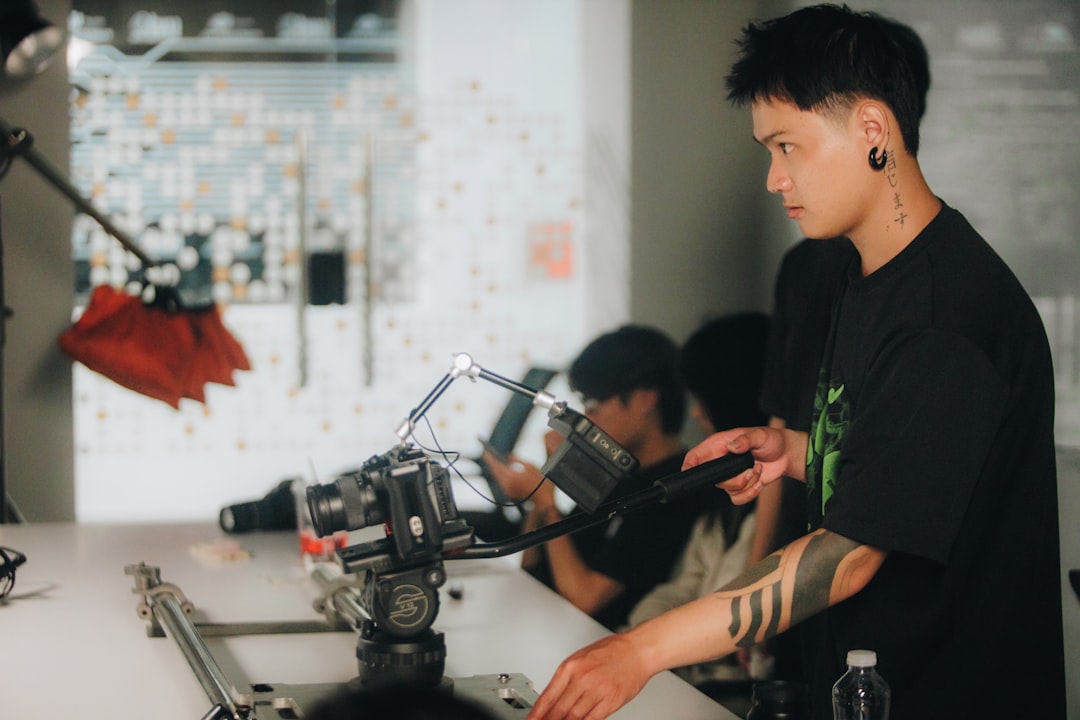
From sign-up to a finished 5-second clip takes about 4 minutes. The onboarding does not waste your time — you sign in, the dashboard opens, and the “Generate” button is the most prominent thing on screen.
Three input modes: text-to-video, image-to-video, and video-to-video. For beginners, image-to-video is by far the easiest. Upload a photo of, say, a cup of coffee. Type “steam rising slowly, cinematic.” Wait 45 seconds. The result is almost always usable.
The prompt syntax is forgiving. Unlike older video AIs, you do not need to say “highly detailed, 4K, hyper-realistic” to get something good. Plain English works. If you want a structured approach, our beginner’s guide to writing AI prompts covers the exact format that gets consistent results.
One thing that surprised us: the “Director Mode” UI. You drop a video clip in, and Runway lets you scrub through frames and apply different effects to different timestamps. It is the closest thing to a real editor that any AI video tool has.
Quality: how does it compare?

We ran the same 20 prompts through Runway, Pika, Sora, Luma, and Kling. Two professional video editors blind-rated the output on three dimensions: motion realism, prompt adherence, and aesthetic quality.
| Tool | Motion | Prompt adherence | Aesthetic | Overall |
|---|---|---|---|---|
| Runway | 4.6 | 4.8 | 4.7 | 4.7 |
| Sora | 4.7 | 4.6 | 4.5 | 4.5 |
| Pika | 4.0 | 4.2 | 4.5 | 4.4 |
| Luma | 4.2 | 4.0 | 4.6 | 4.4 |
| Kling | 4.5 | 3.8 | 4.0 | 4.3 |
Runway came out on top, narrowly. Sora generates longer, sometimes more cinematic clips, but burns much more compute (and dollars) to do so. Pika is fun but inconsistent. Luma has a unique aesthetic. Kling has the best physics but the worst prompt understanding.
If your work is in any way commercial — Runway. The end.
Pricing tiers, explained honestly
The pricing page on Runway’s site is fine, but it does not tell you how many clips you actually get. Here is the math.
| Plan | Price | Credits | Key features |
|---|---|---|---|
| Free | $0/mo | 125 credits/mo | 5s clips, 720p, watermarked, no upscaling |
| Standard | $15/mo | 625 credits/mo | 10s clips, 1080p, no watermark, priority queue |
| Pro | $35/mo | 2,250 credits/mo | 16s clips, 1080p + 4K upscale, camera controls |
| Unlimited | $95/mo | Unlimited (relaxed) | All Pro features, team workspaces, commercial license |
A 5-second 720p clip costs ~25 credits. A 10-second 1080p clip costs ~75 credits. So the free 125 credits ≈ 4–5 short clips/month. The $15 plan ≈ roughly 25 clips/month.
Beginner tip: Start free. The 125 credits are enough to make 4–5 clips and decide whether you like it. If you do, jump to Standard ($15) — it is the only tier where credits feel adequate for one-clip-a-day usage. Skip Pro unless you are making multiple clips per day or need 4K.
Compared to alternatives

Pika ($10/mo) — The best starting point if you are new to AI video and want to try it cheaply. Pika is faster, easier to get started with, and $5 cheaper per month. The trade-off: motion is less realistic, face consistency is worse, and the output has a slightly “toy-like” quality that makes it obvious it was AI-generated. For TikTok and Reels where speed matters more than polish, Pika wins. For anything that needs to hold up on a larger screen or in a client presentation, Runway wins.
Kling ($9/mo) — Strongest free tier of any tool tested: 6 clips per day at no cost, no card required. Physics and cloth simulation are genuinely competitive with Runway at a fraction of the price. The downside: the interface is rough, the generation queue is slow, and prompt following is inconsistent — describe a specific camera move and you often get something unrelated. Worth starting with for free to test AI video generally, but frustrating once you need precise control.
Sora ($20/mo) — The only tool here that generates clips up to 60 seconds, which is the one thing Runway cannot match. Output quality is comparable to Runway at its best, and camera controls are strong. But at $5 more per month with slower renders, it only makes sense if a client specifically asks for longer clips. For 90% of social and marketing work, Runway’s 16-second ceiling is enough.
We tested all ten major tools head-to-head.
Frequently asked questions
Can I use Runway clips commercially?
Yes, but only on paid plans. Free tier output is for personal/educational use and includes a watermark. The Standard plan ($15/mo) is the minimum for commercial use. Pro ($35) and Unlimited ($95) include explicit broadcast and theatrical rights.
How many credits does one clip cost?
A 5-second 720p clip costs ~25 credits. A 10-second 1080p clip costs ~75 credits. Image-to-video uses the same. So the free 125 credits ≈ 4–5 short clips/month. The $15 plan ≈ roughly 25 clips/month.
How long does generation take?
For 5-second 720p clips: 30–60 seconds during off-peak, up to 4 minutes during peak. 1080p adds about 50% time. Paid plans get priority queue, which roughly halves wait times during peak.
Does it work with my own footage?
Yes — image-to-video and video-to-video are core features. Upload a photo and Runway animates it. Upload a clip and you can apply style transfer, motion brush, or generate continuation frames.
What about audio?
Not yet, as of May 2026. Runway does not generate sound. You will need to add music in CapCut, DaVinci, or similar. ElevenLabs handles voiceover and SFX cheaply.
Is there a refund if I do not like it?
Runway offers a 7-day money-back guarantee on monthly plans, no questions asked. Credits do not carry over month to month, so cancel before renewal if you have not used them.
How does Runway compare to free alternatives?
Kling has the best free tier (6 clips/day, no watermark, no card). Pika is free with watermark. Luma is free for 30 clips/month. Runway is in the middle: tighter free limits, but the highest output quality. If quality matters, pay for Runway. If quantity matters, start with Kling.
Is Runway good for beginners?
Yes — the interface is friendlier than its reputation suggests. Image-to-video is the easiest entry point: upload a photo, type a plain description of what should move, and the result is usually usable on the first try. You do not need to learn any special prompt syntax or video terminology. Most people produce their first good clip within 10 minutes of signing up, well within the free tier. If you want a structured starting point, our beginner’s guide to AI prompts covers the same principles that work here.
Does Runway work on mobile?
There is an iOS app, but it is primarily for reviewing and downloading clips rather than generating them. The full workflow — prompt input, camera controls, motion brush — works best in a desktop browser. If you need an entirely mobile AI video workflow, CapCut has better app support and is genuinely free. Most Runway users treat it as a desktop-first tool and then share finished clips from their phone. The iOS app is useful for quick previews on the go, not for production work.
Should you actually pay for it?

Yes, if: you make any kind of video content for clients, social, or yourself; you have already burned through Runway’s free tier and want more; you want one tool that handles 80% of jobs.
No, if: you are still on the fence about AI video as a category — start with free Kling or Pika; you only need one clip a month — the free tier covers you; you need long-form (60s+) clips — go to Sora.
We have been paying $15/month out of pocket since January. Last month we used it for a client pitch deck, three social posts, and one personal art project. That is roughly $3 per clip — cheaper than stock footage, and the result is custom. We are keeping it.
The creator it fits best: someone making 1–3 clips per week for social or client work who cares whether the output looks like it was made by a human. If that is you, Runway at $15/month has a better output-to-dollar ratio than any tool we tested in this category. If you are still unsure whether AI video is worth your time at all, start with free Kling for a week first — but most people end up back here.
Final verdict: Buy. If you spend any time at all making short video content, $15/month is the easiest yes among AI tools we have tested. The free tier is generous enough to try first — no excuse not to.
✓ Free tier available — 125 credits/month, no credit card required
Affiliate link — we earn a commission if you sign up. It doesn't change what we recommend. Learn how.
Specs at a glance
| Spec | Value |
|---|---|
| Editor rating | 4.7/5 |
| Max clip length | 16 seconds |
| Resolution | Up to 1080p (4K upscale on Pro) |
| Audio gen | Not yet |
| Watermark | Free only |
| Commercial license | Paid plans |
| Mobile app | iOS only |
| Difficulty | Easy |
| Best for | Cinematic B-roll |